After You Buy an Insurance Lead
A confirmed purchase unlocks the lead you paid for. Until payment is confirmed, the page stays a masked preview. After confirmation, the full contact is on the secure order page for that purchase.
What the preview was hiding
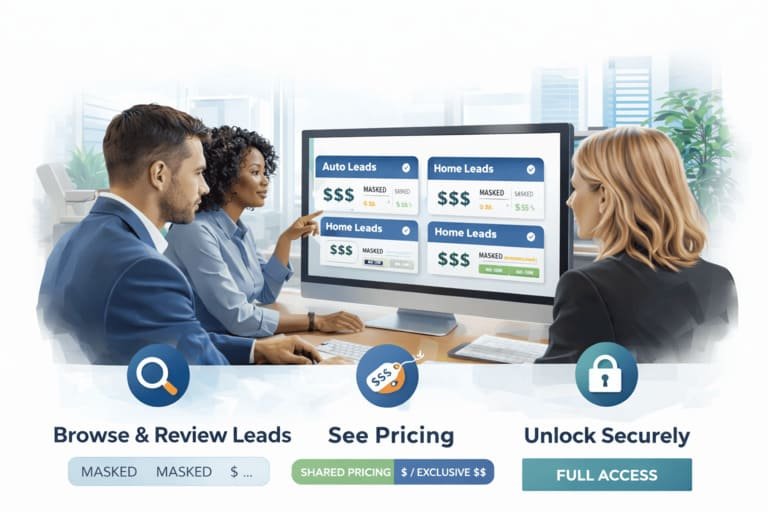
Before checkout, the card shows the line of business, city, state, and ZIP, a cut-down phone and email, and the price. The person’s name, the full phone, the full email, and the street address are not on that preview. Auto cards can also show a vehicle line when the consumer submitted one.
Confirmed payment is what opens the rest. You receive the full name, the full phone number, the full email address, address details when they were submitted, and the vehicle, driver, and quote details that came in with the lead. Exact depth still depends on what the consumer sent.
Nothing in that unlock adds a second lead. The order is the card you paid for. If the profile is thinner than you hoped, that is the form the consumer submitted, not a missing page. The next person is a new card, with its own preview and its own price.
Keep the secure link with the buyer email from checkout. Forwarding only the public marketplace address does not hand a teammate the unlocked contact. The teammate needs the secure order link, or they need to be in the mailbox that received it.
Shared and exclusive unlock the same way
The unlock is the contact. The access type is who else can have the lead. Shared leads can go to more than one buyer. Auto is offered with up to 3 shared slots, and home with up to 2. Exclusive leads go to one buyer and are removed from shared availability after a completed purchase.
Either way, you see a masked preview and the price before you pay. The amount is the one on that card. Standard-tier base prices, premium-tier states, and age bands are on the pricing page. Free test leads show the format before a paid order.
Before payment and after it
- Before: masked preview, location, partial contact, freshness, and the price on the card.
- After confirmation: full name, full phone, full email, and the address and profile details that were submitted.
How you open the lead again
The secure order page is the record of the purchase. A public copy of the address is not enough to unlock it. Use the secure link from the order, and the buyer email you entered at checkout.
The buying path itself is on how to buy insurance leads. This page is only the step after the payment is confirmed: what you now have, and where it lives.
After the payment confirms
- Stay on the secure order page until the status shows the purchase is confirmed.
- Read the full contact and the profile details that were submitted.
- Save the secure link with the buyer email used at checkout.
- Work that lead. The next card is a separate order.
Pay only when the preview fits
Read pricing and open free test leads before you buy. Full contact details come after the payment on that lead is confirmed.