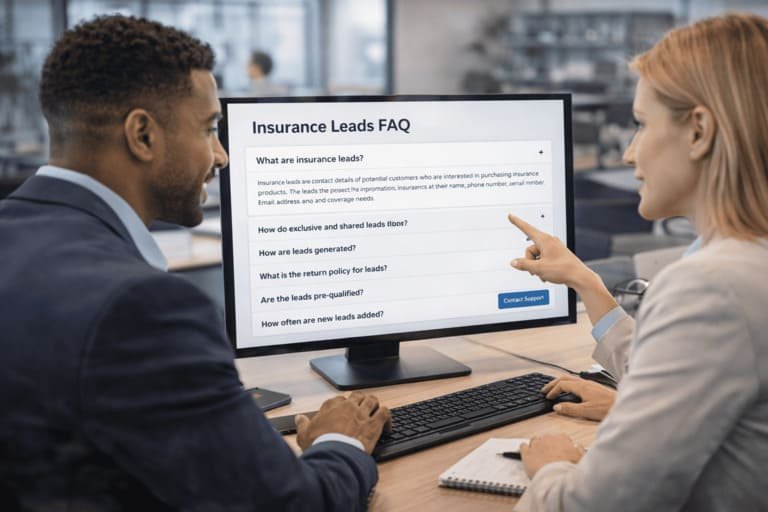
Insurance Leads FAQ
This FAQ explains how InsuranceLeads.co works for buyers who want to browse masked insurance lead opportunities, compare shared and exclusive options, review visible pricing before payment, use secure buyer access after purchase, and build a cleaner repeat-buying workflow through the live marketplace.
Use this page to understand how to browse the marketplace, how pricing and availability work, how repeat buyer recognition helps prevent accidental duplicate purchases, how secure buyer links reopen purchased access, how alerts work, and how new buyers can start with a lower-friction trial path before moving into live buying.
A cleaner path from browsing to buying
InsuranceLeads.co is designed to keep more context visible before purchase and reduce friction after purchase. Buyers can browse the marketplace, compare visible pricing, use a lower-friction trial path if needed, and return later through secure buyer access without relying on a fragile manual process.
Frequently Asked Questions
Who is InsuranceLeads.co built for?
InsuranceLeads.co is built for agencies, brokers, call centers, lead buyers, insurance marketers, and companies looking for organized access to auto and home insurance lead opportunities.
The platform is designed for buyers who want more than a simple signup form. It combines marketplace visibility, masked lead review, alert subscriptions, secure post-purchase access, and structured buying flow so teams can make better decisions with more context.
How should a new buyer start using the platform?
The easiest path for a first-time buyer is to either open the marketplace and review masked activity or start with a lighter trial path to preview the experience by email.
After that, buyers can subscribe for alerts, save their buyer email, and use the same email later for secure access links, repeat-buyer recognition, and smoother paid buying activity.
Do I need to pay to try the platform?
No. New buyers can begin with a lower-friction trial option instead of starting with a paid order. This gives first-time users more flexibility when evaluating the platform.
Paid buying still applies when you move into live marketplace purchases, but the trial path makes the first step easier for teams that want more confidence before spending.
Can I browse leads before buying?
Yes. Buyers can review masked marketplace activity before opening a purchase flow. The platform is designed to show buyer-safe previews so teams can evaluate whether a lead fits their category, geography, pricing level, and timing before payment.
This reduces blind buying. Instead of moving directly into payment with little context, buyers can review lead activity, availability signals, and pricing visibility first.
What is a masked preview?
A masked preview is a buyer-safe view of a lead that shows useful context without exposing full contact information immediately. Buyers can review location, masked contact details, lead labels, visible pricing, age context, and general availability before purchasing.
The goal is to help the buyer evaluate relevance first while keeping the unlock of full details tied to confirmed payment and secure order access.
How does shared lead access work?
Shared access allows buyers to purchase a lead through the shared path when that option is available. Shared pricing is shown before purchase, which helps buyers decide whether a lead fits their acquisition strategy and budget before they move into checkout.
Shared distribution on the platform is controlled rather than unlimited. That gives buyers clearer expectations about how broad the distribution can be and makes shared buying feel more structured. Buyers who want more category-specific detail can also review auto insurance lead availability separately.
What does exclusive access mean?
Some lead opportunities may also show an exclusive purchase path. Exclusive access is not guaranteed on every lead and depends on current marketplace availability.
On this platform, exclusive lead access means a true one-buyer opportunity. When the exclusive purchase is completed, the lead is assigned to that buyer and removed from shared availability. It is not a temporary protected window and it does not return to later shared resale.
Does exclusive purchase mean I am the only buyer?
Yes. Under the current product model, an exclusive lead purchase means the lead is assigned to one buyer and no longer remains available in the shared marketplace flow.
This gives the buyer a clearer ownership path and a stronger first-contact position than shared buying.
Can I see pricing before purchase?
Yes. Shared pricing is shown before the buyer moves into payment. This helps buyers compare opportunities in the marketplace and decide whether a lead fits their buying model before taking action.
Pricing can vary by lead category, geography, and freshness. That makes it easier for buyers to balance urgency, budget, and state focus instead of treating every opportunity as the same.
Why can lead prices change over time?
The platform uses freshness-sensitive pricing, which means newer leads can carry more value than older ones. As a lead ages, the displayed price can adjust to reflect that timing difference.
This gives buyers more flexibility. Some teams want the freshest possible inventory right away, while others are comfortable buying older opportunities at a lower price point.
What happens after I pay?
After payment is submitted, the order goes into confirmation flow. Once payment is confirmed, the lead unlocks through secure access and the buyer can open the purchased details without relying on a fragile manual process.
The unlocked view can show order status, paid amount, lead details, and post-purchase actions. For batches, buyers can also receive one access flow that helps reopen purchased items more cleanly.
What are secure buyer access links?
Secure buyer access links are email-based access links that let the buyer reopen purchased leads, wallet context, and related buying information without relying on a password-based dashboard.
This is useful when a buyer returns later, switches devices, or wants a simpler reopen flow after checkout. The same buyer email used during purchase helps keep access cleaner and more consistent.
How does buyer email recognition help?
Buyer email recognition helps the platform identify when the same buyer has already purchased certain leads before. That means matching items can be marked, filtered, or excluded from a new checkout flow instead of being treated like brand-new purchases.
This improves repeat buying because it reduces accidental duplicate purchases, keeps the experience cleaner across sessions, and makes the marketplace feel more intelligent for returning buyers.
What is wallet balance used for?
Wallet balance helps buyers keep available buying credit visible in one place. Instead of treating every purchase as a disconnected one-off action, the platform can apply available balance toward future unlocking activity when enough credit is present.
That makes recurring buying more practical for teams that want faster repeat checkout behavior and clearer balance visibility over time.
What is a lead review request?
A lead review request is the path buyers can use when a purchased lead has a qualified verified data quality issue and falls within the review rules or window shown in the platform.
It is not a blanket refund promise for every complaint. The idea is to give serious buyers a clearer review process for qualified cases. When a request is approved, buyer credit can be returned to the wallet balance.
How do lead alerts work?
Buyers can subscribe for instant alerts, daily digest delivery, or both. This helps teams stay connected to recent lead flow without needing to manually refresh the marketplace all day.
Alerts work best when used together with marketplace browsing. The subscription layer keeps buyers aware of fresh activity, while the marketplace provides the extra context needed for smarter buying decisions.
Can trial access help me decide before subscribing or buying?
Yes. The trial path is a practical first step for buyers who want to preview lead format, see how alerts feel in real use, and reduce uncertainty before moving into a larger buying workflow.
Many teams will preview the platform first, then move into alert subscriptions, marketplace browsing, and paid shared or exclusive buying once they know the workflow fits their process.
Can I buy by state or geography?
Yes. Geography matters for many buyers. Some teams want broader national visibility, while others buy only in selected states or focus on specific territories.
InsuranceLeads.co supports this by showing location context on lead opportunities and by allowing state-focused subscription behavior. That makes the platform useful for buyers who want more control over geography and not just more volume.
Is this useful for call centers?
Yes. The platform can work well for teams that need steady lead flow and want a clearer way to review timing, geography, and buyer options before purchase.
Teams comparing workflow options can also review lead buying for call center operations to understand how faster-response teams may use shared flow, exclusive access, alerts, and repeat buying tools together.
Do I need to subscribe before using the marketplace?
No. Buyers can browse marketplace activity first and subscribe later if they want stronger ongoing visibility. The strongest workflow often uses both: browse live opportunities directly and also receive alerts when fresh inventory appears.
This makes the platform flexible for first-time visitors as well as recurring buyers who want a stronger long-term acquisition rhythm.
Need More Detail?
Browse Live Inventory and Buy with More Context
Use InsuranceLeads.co to review masked insurance lead activity, compare buyer options, reopen purchased access with secure links, and move into live marketplace buying with stronger visibility before payment.